
How to Withdraw Your Payoneer Earnings to Your Local Bank Account in the Philippines
Learn how to withdraw Payoneer funds to your Philippine bank account, set up scheduled withdrawals, and manage your income with greater flexibility.
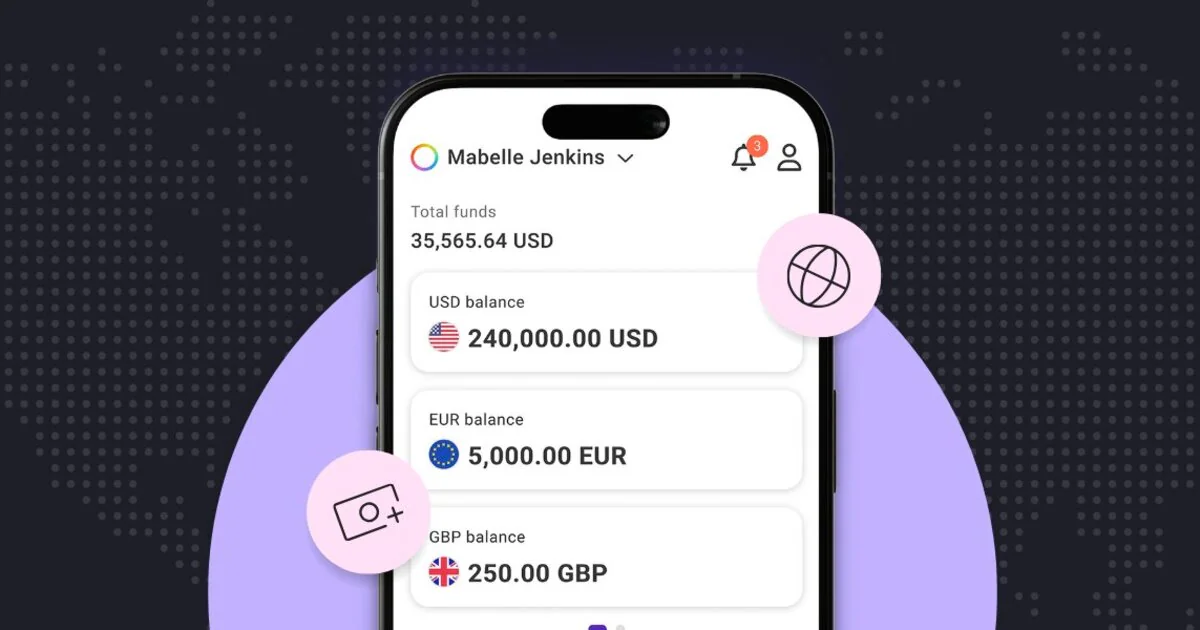

For Filipino virtual assistants, gig workers, and remote professionals earning from international clients, getting paid is only half the equation. The other half — moving those funds into your local bank account so you can actually use them — is where having a clear, reliable process makes a real difference. Payoneer’s Withdraw to Bank feature is built for exactly this. It lets you transfer your Payoneer balance directly to any Philippine bank account on your own schedule. Most withdrawals are typically processed the same day, though timing may vary depending on your receiving bank.
Here’s everything you need to know to start withdrawing.
Step 1: Add your local bank account
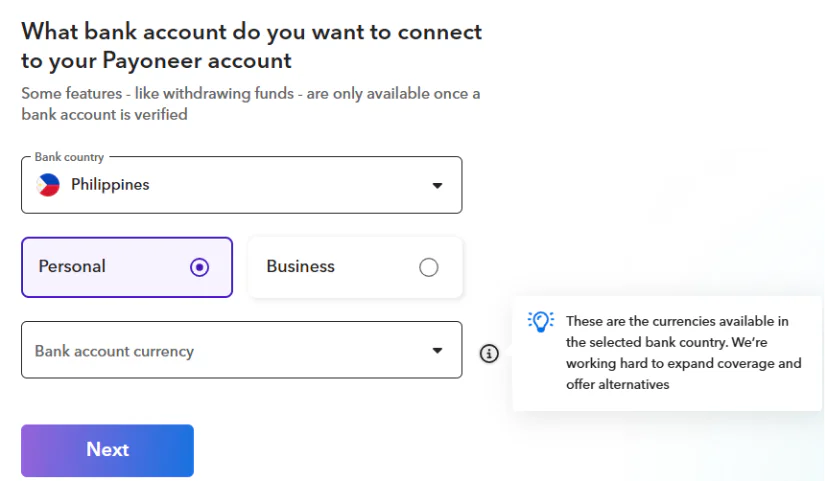
Before your first withdrawal, you’ll need to link at least one Philippine bank account to your Payoneer account. This works with any local bank.
To add your bank account:
- Sign in to your Payoneer account on mobile or desktop.
- Go to Settings and select Bank Accounts.
- Under the Your accounts tab, click Add bank account.
- Choose your bank account currency.
- Enter your bank name, account holder name, and account number.The account holder name must match your Payoneer registration name exactly.
Important: You must link your own personal bank account. Accounts registered under a partner’s, parent’s, or any other person’s name will not be accepted. You can add multiple bank accounts and choose which one receives each withdrawal. If your business has separate accounts for operations, savings, or taxes, you can set each one up and direct funds accordingly.
Step 2: Make a withdrawal
Once your bank account is approved:
- Go to Withdraw & Transfer and tap Withdraw to Bank.
- Select the bank account.
- Choose your currency.
- Enter your withdrawal amount. Withdrawal limits apply depending on the account holder.
- Review the exchange rate and any applicable fees.
- Select “I approve” and click Withdraw.
Most withdrawals are typically processed on the same day, though timing may vary depending on your receiving bank.
Making your withdrawals work harder
For those who withdraw regularly, Payoneer has two features worth setting up beyond the basic transfer.
The first is target rate withdrawals. Instead of withdrawing at whatever rate is available when you happen to check, you set the conversion rate you want and Payoneer automatically triggers the withdrawal when that rate is hit.
The second is auto-withdrawals. You can schedule transfers on a daily, weekly, or monthly basis, across different currency balances and linked bank accounts. For freelancers who want consistent cash flow rather than ad hoc transfers, this removes one more thing from your mental load.
What to do with your funds once they arrive
If you’re looking for a local banking option that complements how you manage your Payoneer withdrawals, GoTyme Bank is worth exploring. As a BSP-regulated digital bank, it can be linked to your Payoneer account just like any other local bank, and it’s built with features that work particularly well for freelancers, virtual assistants, and remote professionals managing variable income.

Once your Payoneer withdrawal lands in your GoTyme Bank account, here’s what you can do with it:
- Move money freely: GoTyme Bank gives you up to 20 free bank transfers per month so sending funds to other local accounts, paying suppliers, or transferring to family doesn’t chip away at your earnings with per-transaction fees.
- Access your cash anywhere: With over 600 kiosks nationwide, plus GoTyme Bank ATMs and Deposit Withdrawal Machines, you’re rarely far from access to your funds.
- Earn while you spend: Every debit card purchase earns Go Rewards points. Points can be redeemed directly as cash in the app or used to pay at partner merchants — a small but real way to get more value from money you’d be spending anyway.
A few things to keep in mind
Payoneer supports bank transfers in 190+ countries and territories, so if you have bank accounts in multiple currencies or countries, those can all be linked.
GoTyme Bank transfers does not charge any fees and transfers are typically completed within the same day or less.
Processing times are generally same day but can take up to several business days depending on your bank. Building a small buffer into your cash flow planning is good practice regardless.
*Bank transfers supported in 190+ countries and territories. See Payoneer global payment capabilities for details on accepted currencies. Each bank account added is subject to approval. Any opinions expressed are those of the individual and may not reflect the views of Payoneer. Availability of products is subject to customer eligibility. Not all products are available in all jurisdictions in the same manner. Nothing herein should be understood as solicitation outside the jurisdiction where Payoneer Inc. or its affiliates is licensed to engage in payment services, unless permitted by applicable laws.
Related resources

The False Economy of Staying Solo: What $10K a Month Really Costs a Virtual Assistant Business
The systems that got you to five figures are quietly taxing every dollar after it.


How Singapore Corporate Service Providers Can Differentiate in an Increasingly Competitive Market
Incorporation and compliance are no longer enough to stand out. Here's how leading Corporate Service Providers are evolving their business models—and what it means for the future of the industry.

From Incorporation to Operation: What Singapore Corporate Service Providers Need to Help Clients Scale Across Asia
International expansion doesn't end with company incorporation. Learn how Corporate Service Providers can help businesses build the legal, financial, and operational foundations needed for sustainable cross-border growth.

When to Scale Your VA Business: 5 Signs You’re Ready to Build an Agency in the Philippines
The Philippines has become one of the world's leading sources of virtual talent. But many Filipino virtual assistants aren't just building freelance careers anymore — they're quietly building export businesses.…

Enabling Singapore-Based Businesses to Structure and Scale Across ASEAN: A Guide for Corporate Service Providers
Learn how corporate service providers can help Singapore-based businesses structure, manage and scale their ASEAN operations through effective entity design, financial infrastructure planning and regional compliance frameworks.

Cross-Border Expansion Trends and What They Mean for Corporate Service Providers
As client expansion strategies evolve, corporate service providers must adapt. Explore the key cross-border expansion trends shaping demand for regional structuring, compliance, governance and financial infrastructure support.

How to Open a Payoneer Company Account in Pakistan: A Step-by-Step Guide
A complete guide for SECP-registered companies, partnerships, and sole proprietors in Pakistan to navigate registration requirements, document preparation, and account verification.

How to Open a Payoneer Individual Account in Pakistan: A Step-by-Step Guide
A complete guide for freelancers and individuals in Pakistan to navigate registration requirements, document preparation, and account verification.

The Financial Infrastructure Checklist Every CSP Should Run Through Before a Client Expands Internationally
Help clients expand globally with confidence. A practical guide for CSPs on entity setup, multi-currency payments, FX risk, cash flow planning, and scalable financial infrastructure for international growth.
Latest articles
-

Discover Your All-In-One Ecommerce Payments Solution
Learn how eCommerce businesses can use Payoneer to receive marketplace payments, pay suppliers, manage multiple currencies, access working capital, and streamline global business payments.
-
Your Business Payments Are in Good Hands
Learn how to use Payoneer to receive payments from clients and marketplaces, access your funds, pay suppliers, manage currencies, and use additional tools that help simplify global business payments.
-
Avail the Most Trusted Payment Partner in India
Learn how businesses in India can use Payoneer to receive cross-border payments, withdraw earnings automatically, access Digital FIRCs, pay European VAT, and manage international business payments from one account.
-
Discover Payoneer’s Services for Your Business
Learn how to make the most of your Payoneer account, from receiving international payments and requesting payments from clients to withdrawing funds, paying suppliers, managing currencies, and accessing additional business tools.
-
How to Integrate Payoneer Checkout with Ueeshop
Learn how to integrate Payoneer Checkout with Ueeshop, configure your payment setup, and discover how to accept secure payments while supporting your cross-border ecommerce business.
-
How to Integrate Payoneer Checkout with WooCommerce
Learn how to integrate Payoneer Checkout with WooCommerce, configure your preferred checkout experience, and start accepting secure online payments through your WordPress store.






Disclaimer
The information in this article/on this page is intended for marketing and informational purposes only and does not constitute legal, financial, tax, or professional advice in any context. Payoneer and Payoneer Workforce Management are not liable for the accuracy, completeness or reliability of the information provided herein. Any opinions expressed are those of the individual author and may not reflect the views of Payoneer or Payoneer Workforce Management. All representations and warranties regarding the information presented are disclaimed. The information in this article/on this page reflects the details available at the time of publication. For the most up-to-date information, please consult a Payoneer and/or Payoneer Workforce Management representative or account executive.
Availability of cards and other products is subject to customer’s eligibility. Not all products are available in all jurisdictions in the same manner. Nothing herein should be understood as solicitation outside the jurisdiction where Payoneer Inc. or its affiliates is licensed to engage in payment services, unless permitted by applicable laws. Depending on or your eligibility, you may be offered the Corporate Purchasing Mastercard, issued by First Century Bank, N.A., under a license by Mastercard® and provided to you by Payoneer Inc., or the Payoneer Business Premium Debit Mastercard®, issued and provided from Ireland by Payoneer Europe Limited under a license by Mastercard®.
Skuad Pte Limited (a Payoneer group company) and its affiliates & subsidiaries provide EoR, AoR, and contractor management services.
